How to use an old Android phone as a motorcycle dashcam
A spare Android phone in a drawer can be a dedicated motorcycle dashcam. RideLock is a free-to-start Android app that records in a continuous loop, keeps every clip on the phone, and needs no internet connection or account. This guide covers what you need and how to set it up.
What you need
- An Android phone running Android 8.0 or newer. RideLock supports Android 8.0 and newer, so many older phones still qualify.
- A secure motorcycle phone mount. Choose a mount made for a motorcycle, and check that the phone cannot shift, rotate or fall out over bumps.
- A way to keep the phone charged on longer rides. Recording uses the camera continuously. Use a charging setup that suits your motorcycle's electrical system and keeps the connection protected from rain.
- Free storage on the phone. Loop recording keeps storage under control, but the phone still needs room up to the limit you set.
Set it up in four steps
Setting up takes a few minutes and works without an internet connection once the app is installed.
- Install RideLock from Google Play. There is no sign-up and no account.
- Choose your storage limit. RideLock records continuously and automatically deletes the oldest clips once the limit is reached, so you never clear files by hand.
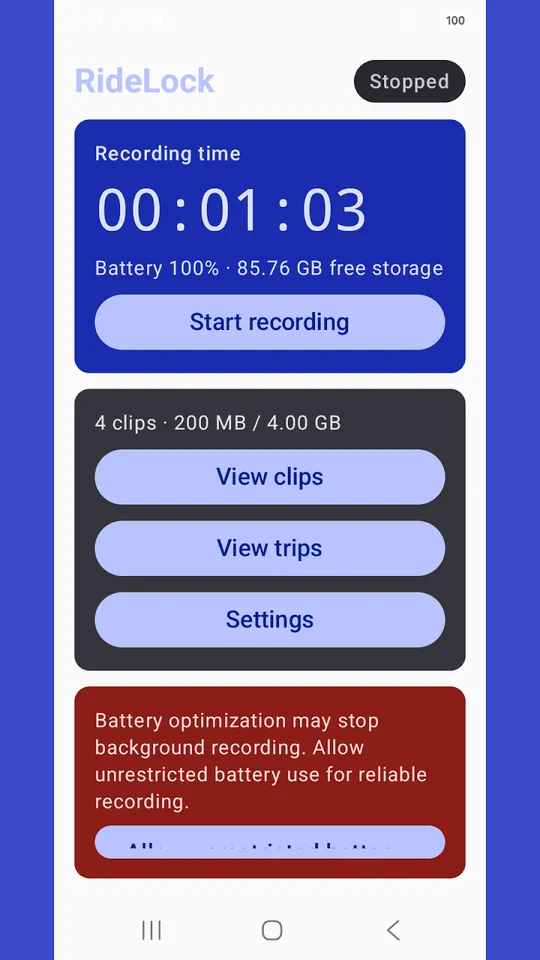
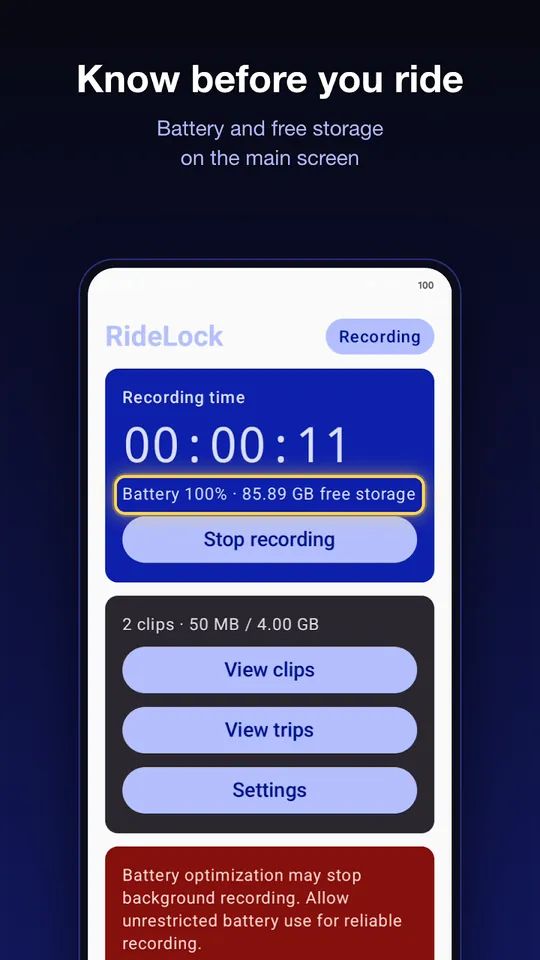
- Fix the phone to the motorcycle and point the rear camera at the road. Check the main screen before you leave: RideLock shows live battery and free-storage status so you know the phone is ready.
- Tap Start recording. RideLock keeps recording with the screen off, using a persistent notification, as Android requires for background recording.
Heat, battery and storage on a bike
A phone in direct sun on a handlebar mount can get hot. RideLock lowers video quality automatically when the phone runs hot instead of shutting the camera off, so the recording continues.
Because the phone is dedicated to recording, your main phone stays free for navigation, calls and delivery apps. RideLock does not need mobile data to record, so it never uses your data plan.
Free and Pro
Basic loop recording is free: 720p video with a 1 GB storage limit, with no account and no ads. RideLock Pro is a yearly subscription with a 14-day free trial that adds 1080p recording when the phone is cool, larger storage limits, automatic incident lock on a hard brake or impact, and a date, time and speed overlay on shared clips. See the full comparison on the pricing page.
Privacy: where do the clips go?
Nowhere. RideLock has no server and no account system, and recordings are stored only on the phone. When you share a clip, you choose the app that receives it, and the exported copy is deleted after 24 hours. Read more in what stays on your phone.
Use it safely and legally
Set up the phone before you ride and never handle it while riding. A phone dashcam is a driving aid, not a substitute for safe riding, and recordings can be incomplete if storage runs out or the device fails, so do not rely on it as your only record of an incident. You are responsible for following local laws on recording video and audio.
Frequently asked questions
Which Android versions does RideLock support?
RideLock supports Android 8.0 and newer.
Does the phone need a SIM card or internet connection?
No. RideLock needs no internet connection to record, so an old phone without a data plan works.
Will it keep recording with the screen off?
Yes. RideLock keeps recording while the phone is locked and shows a persistent notification, as Android requires for background recording.
What happens when the storage is full?
Loop recording deletes the oldest clips automatically once you reach the storage limit you set, so new footage always has room.
More guides
- Dashcam app for Grab, LINE MAN, foodpanda and delivery riders
- Private dashcam app: what stays on your phone
- Pricing: what is free and what is Pro